Reviews
Stellar Keyboard Quest successfully turns typing drills into an engaging space adventure. The progressive difficulty keeps players challenged without frustration, and the real-time feedback helps track improvement. The clean interface and family-friendly theme make it a great tool for both children learning to type and adults wanting to improve their speed. It is a practical, enjoyable way to build keyboard skills.
Description
Mission Overview
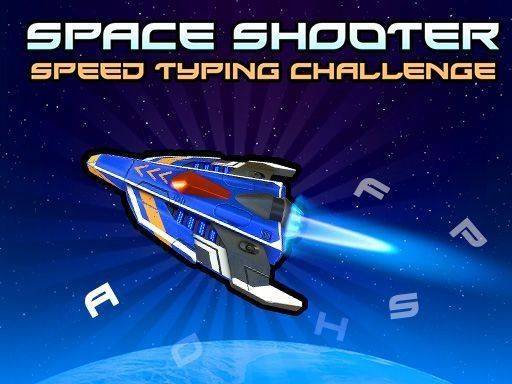
Stellar Keyboard Quest is an educational game that combines typing practice with a space adventure. Players take on the role of a pilot navigating through a field of obstacles. Words appear on screen, attached to approaching objects. Typing these words correctly triggers defensive actions, clearing the path. This design transforms routine keyboard drills into an interactive mission, making skill improvement feel natural and rewarding. The space setting provides a motivating backdrop that keeps players engaged while they practice essential keyboard skills.
Core Mechanics
Players watch words that appear on screen, each attached to an incoming obstacle. Each word must be typed exactly as shown, followed by pressing the Enter key to activate the defensive response. Correct hits remove obstacles, while mistakes leave the ship vulnerable. A health bar at the top shows the ship's condition. If obstacles reach the ship, health decreases. Levels increase in difficulty with longer words and faster obstacles. No mouse or controller is needed, just a keyboard. The game is straightforward and easy to learn, making it accessible for beginners and challenging for experienced typists.
Progression System
The game includes multiple levels with progressive difficulty. It tracks typing speed and accuracy in real time, allowing players to monitor their progress. The family-friendly space theme is suitable for all ages and skill levels. No downloads or registration are required, so players can start immediately. The game offers a practical way to improve typing without repetitive drills, making practice feel like play. The interface is clean and intuitive, focusing on the typing challenge without distractions.
Tips for Improvement
Practice regularly to build muscle memory. Focus on accuracy before speed, as mistakes can leave your ship vulnerable. Learn the keyboard layout to reduce looking at keys. Start with easier levels to warm up before tackling faster obstacles. Stay calm and type each word carefully to maintain steady progress. Consistent practice is the key to improvement.










Comments
Sign in to leave a note
You must be logged in before posting a review or rating.
No account? Create one
No comments yet. Be the first to comment!