Reviews
Candy Creation Studio for Kids offers a wonderful creative outlet for children. The game's emphasis on free choice and experimentation, without timers or scores, makes it a relaxing experience. The variety of bases, toppings, and bag decorations keeps play fresh and engaging. Parents will appreciate the safe, ad-friendly environment and the opportunity to join in the fun. It's a great tool for encouraging decision-making and imagination.
Description
Game Introduction
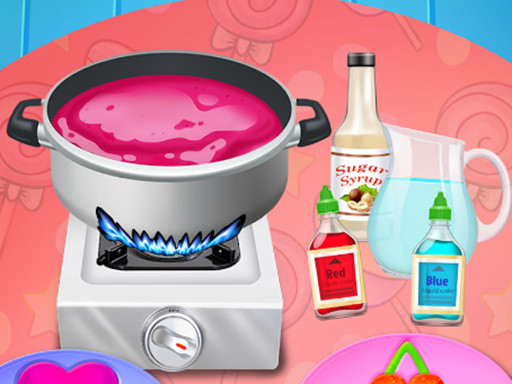
Candy Creation Studio for Kids is a colorful and engaging cooking game designed for children and families. The game invites young players into a cheerful world where they can create their own candy treats from scratch. Players begin by selecting a base for their candy, choosing between a chewy gummy candy or a smooth chocolate candy bar. From there, they add a variety of colorful toppings and fillings to build a unique treat. The game emphasizes creativity and personal choice, allowing children to mix flavors, colors, and textures without any time pressure or scoring. Every candy creation turns out different, encouraging experimentation and imaginative play. The bright, cheerful visuals and simple interface make it easy for young children to play independently. This game is designed to be a safe, ad-friendly experience that parents can trust. It turns screen time into a positive, hands-on activity that feels like real cooking without the mess. The focus is on fun and self-expression, making it suitable for children of all ages.
How to Play
Playing Candy Creation Studio for Kids is straightforward and intuitive. Players start by tapping to choose their candy base, either a gummy candy or a chocolate candy bar. Next, they pick from a wide selection of colorful toppings and fillings, such as sprinkles, fruit pieces, and caramel. After customizing the candy, players select a vibrant bag to hold their creation. Then they decorate the bag with fun stickers to make it uniquely theirs. Finally, they open the bag and enjoy the feast of candy they have made. The game uses simple taps and clicks, so even young chefs can play without help. There are no timers or scores, allowing for relaxed and pressure-free play.
Game Features
Creative candy customization with many topping and filling choices. Colorful and kid-friendly visuals that are easy on the eyes. Simple tap and click controls perfect for young children. No timers, scores, or pressure, allowing relaxed play. Safe, family-friendly content suitable for all ages. The game encourages creativity and self-expression through candy design and bag decoration.
Tips for Success
To get the most out of the game, encourage children to experiment freely with different combinations of bases, toppings, and bag decorations. Since there are no timers or scores, the focus should be on fun and creativity rather than achieving a specific outcome. Let kids explore all available options to discover their favorite candy designs. This approach helps build decision-making skills and confidence in a low-stress environment. Parents can join in to make it a shared activity, discussing color choices and flavor ideas to enhance the experience.










Comments
Sign in to leave a note
You must be logged in before posting a review or rating.
No account? Create one
No comments yet. Be the first to comment!